

Collecting payments is a core part of many forms - from event registrations and donations to invoices and service requests. Today, we’re introducing a new way to accept payments in Formstack Forms with the PayPal Connected Path integration, giving customers a more secure, modern PayPal checkout experience.
This new integration is built on PayPal’s Connected Path (PPCP), which supports advanced payment capabilities and improved security while keeping setup straightforward inside the Forms builder.
What is PayPal Connected Path?
PayPal Connected Path is PayPal’s latest integration model, designed to simplify onboarding and enable more flexible payment options. In Formstack Forms, this means you can connect your PayPal account directly to a form and start accepting payments without custom code or third-party workarounds.
Once connected, form submissions can automatically trigger PayPal payments, making it easier to collect funds as part of your Forms solution.
Why this matters for your payment collections
Previously, you often had to choose between limited payment options or more complex integrations. PayPal Connected Path helps close that gap by offering:
- A more secure, PayPal-managed connection flow
- Support for modern PayPal payment features
- A smoother setup experience inside Formstack Forms
For teams collecting payments at scale, this reduces friction for both form builders and end users while aligning with PayPal’s latest security standards.
How to find and add the integration
PayPal Connected Path is available directly from the Integrations area of the Forms builder.
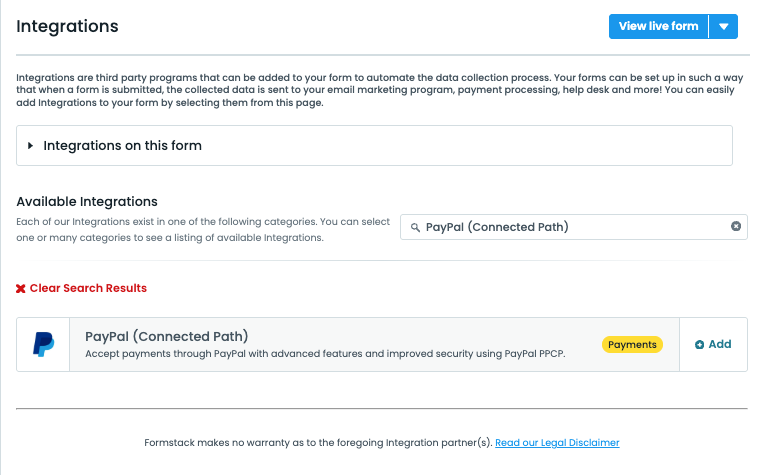
From there, you can search for PayPal, select PayPal (Connected Path), and follow the guided connection flow to link your PayPal account. For more details, view our help documentation.
Common use cases
Customers are already using PayPal Connected Path for scenarios like:
- Event registrations with upfront payment
- Donation forms with flexible contribution amounts
- Service requests or applications that require payment before submission
- Internal forms that trigger payment collection as part of a larger process
Because the integration lives directly inside Formstack Forms, payments can be combined with conditional logic, calculations, and other form features you’re already using.
Learn more
For step-by-step setup instructions, configuration details, and limitations, refer to our help documentation.
If you’re already collecting payments with forms, this new integration provides a more secure and future-ready way to work with PayPal - without changing how you build or manage your forms today.